
Migration
Microsoft 365 Migration
Move email, calendars, contacts and files from Google Workspace, GoDaddy email or an on-premises server, with a planned cutover and minimal downtime.
Plan Your Migration
Microsoft 365 Support · Naples, Fort Myers & Miami
Right licenses. Secure setup. Real help.
FLTECHS provides Microsoft 365 support for small and midsize businesses in Naples, Fort Myers and Miami. We help you pick the right licenses, migrate email and files without losing a workday, lock down security and train your team in English or Spanish.
Microsoft 365 Services
Whether you are moving to Microsoft 365 or already on it, we handle the technical work and stay on as your help desk for Outlook, Teams, OneDrive and SharePoint questions.
Get a Free Microsoft 365 ReviewMigration
Move email, calendars, contacts and files from Google Workspace, GoDaddy email or an on-premises server, with a planned cutover and minimal downtime.
Plan Your Migration
Licensing
We review how your team works and recommend the plan that fits, so you are not paying for features nobody uses or missing security you need.
Get Licensing Advice
Security
Multi-factor authentication, Microsoft Defender protection and, with Business Premium, Intune device management and conditional access configured for your business.
Explore Cybersecurity
Backup
Microsoft keeps the service running, but deleted or encrypted mail and files are your responsibility. We add backup for Exchange, OneDrive, SharePoint and Teams.
Business Continuity
Collaboration
Teams channels, shared mailboxes, SharePoint sites and permissions organized around how your departments actually share work.
Explore Co-Managed IT
Training & Support
Hands-on training for Outlook, Teams and OneDrive in English or Spanish, plus day-to-day help desk support when something stops working.
Explore Managed IT
Why FLTECHS for Microsoft 365
8m 41s
Average Response Time
99.98%
Uptime Across Systems
24/7
Endpoint Monitoring
100%
Florida Focused
Areas We Serve
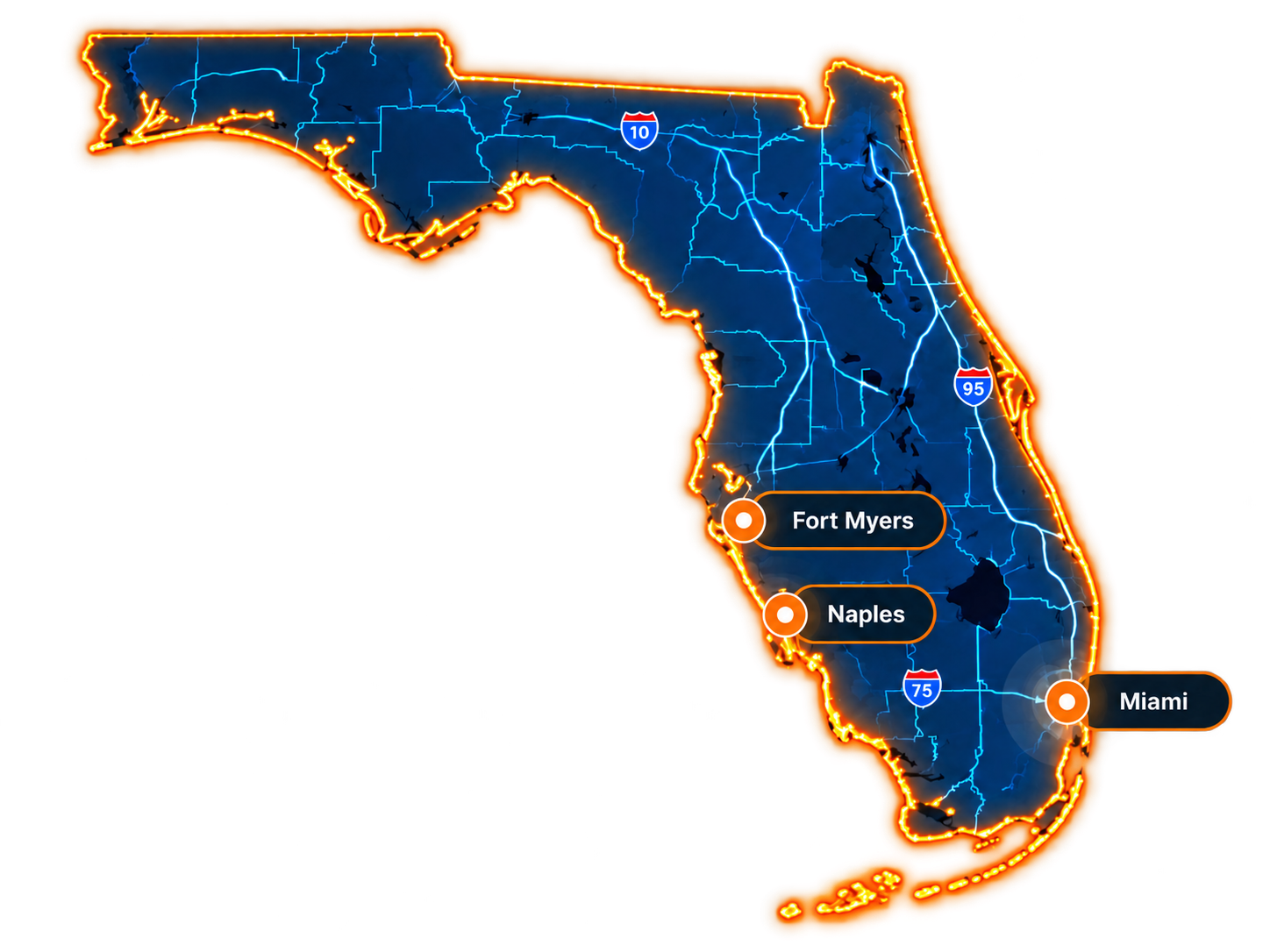
Our office is in Naples, and most Microsoft 365 work is done remotely, so businesses in Fort Myers and Miami-Dade get the same team and the same response. We come on site when a migration or training day calls for it.
Contact Our Naples OfficeServing Southwest and South Florida
Naples & Collier County
Our office is here: on-site and remote support
Fort Myers & Lee County
Serving Fort Myers, Cape Coral, Estero and Bonita Springs
Miami-Dade
Our team serves Miami, Coral Gables, Doral and Hialeah
Our Naples Office
5270 Golden Gate Pkwy, Naples, FL 34116Remote first.
On-site when needed.
Plans Compared
Most small businesses land on one of three Microsoft 365 business plans. Here is the short version. We will help you decide what fits each person on your team.
Get Licensing Advice
Web and mobile versions of Outlook, Word, Excel and PowerPoint, plus business email, Teams and OneDrive storage. A fit for teams that work mostly in the browser.

Everything in Basic plus the desktop Office apps. The common choice for offices that live in Word, Excel and Outlook all day.

Everything in Standard plus advanced security: Defender for Business, Intune device management and conditional access. Our usual pick for businesses that handle sensitive data.

Both handle email and files well. Microsoft 365 usually wins when your team depends on desktop Excel and Word or needs device management; Google suits browser-first teams. We give you an honest comparison.
Client Reviews
FLTECHS holds a 5.0-star Google rating from 13 reviews. Clients like Concierge Veterinary Hospital in Naples have trusted us with their IT for years.
We are using FLTECHS for the last 14 years here in Naples ... and is simply for a good reason .. this is an amazing company owned and operated locally and their level Of professionalism and dedication is second to none. We highly recommend their services to people that rely on quality and are looking for a personalized, friendly, efficient and long lasting service for their IT needs.
Alberto Lopez, DVM
Concierge Veterinary Hospital · Naples
Great personal service.
Paul Elya
Coral Air
Microsoft 365 FAQ
Straight answers about licensing, migration and support. Still have questions? Call 239-986-8647 or send us a message.
Licensing and setup, onboarding and offboarding users, security configuration, and help desk support for Outlook, Teams, OneDrive and SharePoint. You call or email us and a real person helps, in English or Spanish.
We inventory your mailboxes and files, set up your Microsoft 365 tenant and domain, copy data in the background, then switch email over at a planned time, usually after hours. Your staff get a short guide and help on the first day.
Yes. We migrate from Google Workspace, GoDaddy-hosted email and on-premises Exchange or file servers. Email, calendars, contacts and files come across, and we update DNS so mail flows to the new system.
For most businesses that handle customer, financial or health data, yes. Premium adds Defender for Business, Intune device management and conditional access, which close gaps Basic and Standard leave open. If a lower plan fits, we will tell you.
We recommend it. Microsoft keeps the service available, but deleted, overwritten or ransomware-encrypted data can be lost once retention windows pass. A separate backup lets us restore mailboxes, OneDrive and SharePoint files on request.
It depends on the number of users, the plan you choose and whether you want support only or a full managed IT plan. We start with a free review of your current setup and send a clear written proposal.
Ready for a smoother Microsoft 365?